
Super NotebookLM Exporter
Chats, individual quizzes, flashcards and mind maps in one export menu.
Add to Chrome ExtensionDownload the NotebookLM content you already created in formats you can use elsewhere. Save chats as PDF, Word or Markdown; turn quizzes into worksheets, Google Forms or LMS files; move flashcards to Anki or Quizlet; and convert mind maps into editable outlines.
4.4 out of 5 Chrome extension ratingFor Gemini Notebook, formerly NotebookLM · Review generated content before sharing
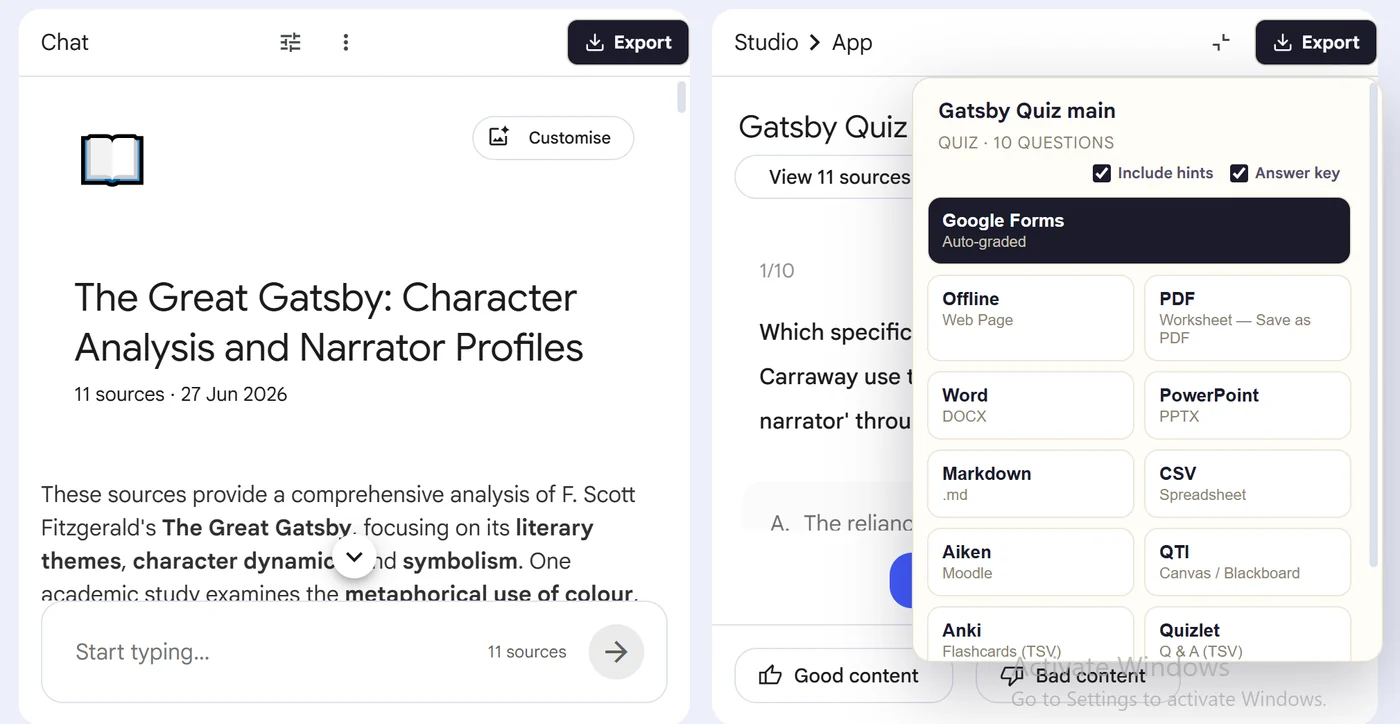

Open the completed chat, quiz, flashcard set or mind map in NotebookLM, then use the extension's Export button to choose a format. The download keeps the structure that matters: speaker turns in chats, questions and choices in quizzes, fronts and backs in flashcards, and parent-child branches in mind maps.
Export chats to PDF, Word or Markdown; quizzes to documents, presentations, Google Forms, LMS packages and study apps; flashcards to printable or importable formats; and mind maps to editable outlines and structured data.
Save conversations, quiz worksheets and flashcard study sheets.
Explore documents →Forms, PDF, Word, PowerPoint, QTI, Anki, Quizlet and structured data.
Explore quiz formats →Anki, Quizlet, printable sheets, PowerPoint, Markdown, CSV and JSON.
Explore card formats →Turn branches into Markdown, OPML, FreeMind, HTML, text or JSON.
Explore mind maps →Gemini Notebook can download flashcards as CSV, download mind maps, export notes to Google Docs and—on qualifying paid plans—create files from chat. Use those native options when they solve the job.
Use the extensions when you need an existing artifact in a specific destination, want the same workflow across artifact types, or need classroom and study formats that are not covered by the built-in download.
Chats, individual quizzes, flashcards and mind maps in one export menu.
Add to Chrome ExtensionCreate a Google Forms workflow from the open NotebookLM quiz.
Add to Chrome ExtensionDiscover and package multiple completed quizzes from one notebook.
Add to Chrome ExtensionThe exporter supports NotebookLM chats, quizzes, flashcards and mind maps. Available destinations depend on the artifact and include PDF, Word, PowerPoint, Markdown, CSV, JSON, Anki, Quizlet, QTI, OPML and Google Forms.
Yes. Gemini Notebook, formerly NotebookLM, now offers native downloads for some artifacts, including flashcards as CSV and mind maps as downloadable files. This site focuses on additional destination-ready formats and workflows.
Use Super NotebookLM Exporter for chats, individual quizzes, flashcards and mind maps. Use the dedicated Forms extension for Google Forms, and the batch extension when you need several quizzes from one notebook.
Super NotebookLM Exporter is developed and maintained by the MyQuizGPT team.
NotebookLM provides native downloads for selected artifacts, including flashcards as CSV. Super NotebookLM Exporter adds destination-specific downloads for existing chats, quizzes, flashcards and mind maps.
Yes. Open the completed chat or Studio artifact, use the export control, choose the required format and download the prepared file instead of copying each item manually.
Open the NotebookLM artifact you want to move, choose its destination, and export it without rebuilding the content by hand.
Add to Chrome Extension